SmartERP for IT and software services
Keep the project, the technician hours and the invoice together for every client, from a network cabling job to a monthly support visit.
Quote installations, follow technician time and bill support work from one place
An IT company mixes one-off projects, such as an office network or a custom application, with the ongoing care of a client's computers. The work is easy to do and hard to trace: a quick visit or a remote fix rarely gets written down. SmartERP records the quotation, the task, the hours and the invoice.
Start with CRM and Sales for quotations, Project for installations and software work, Timesheets for technician hours and Accounting for invoices and supplier bills. Add Calendar to share site visits between technicians.
Typical businesses: IT support companies · Network installation firms · Software development houses · Web development studios · Computer equipment suppliers
Problem-to-Solution Matrix
How SmartERP systematically replaces traditional operational bottlenecks with automated enterprise workflows in IT and software services.
Quick fixes and remote sessions are never written down
A technician clears a printer jam, a shared drive or a locked account in minutes and the time goes unrecorded, so the support fee stops matching the effort.
Automated end-to-end workflow on a unified PostgreSQL database with real-time audit trail and zero duplicate entry.
Hardware is quoted at one price and bought at another
Routers, laptops and cabling are quoted from prices that move. The supplier's bill arrives later and nobody compares it with the quote, so a job's margin goes unseen.
Automated end-to-end workflow on a unified PostgreSQL database with real-time audit trail and zero duplicate entry.
Installations and software changes are tracked in chat threads
A migration or a new application has several steps and several people. When the client asks for status, the answer takes a round of phone calls.
Automated end-to-end workflow on a unified PostgreSQL database with real-time audit trail and zero duplicate entry.
Monthly support fees and extra call-outs are invoiced by hand
Each month someone writes the support invoice from memory, and visits that fall outside the agreement are easy to miss.
Automated end-to-end workflow on a unified PostgreSQL database with real-time audit trail and zero duplicate entry.
More Than Business Apps: An Integrated Enterprise Operating Platform
SmartERP combines specialized industry applications, shared enterprise core services, and advanced modular extensions on a single unified PostgreSQL database.
Level 1: Specialized Industry Applications
Day-to-day OperationsThe operational applications that address the unique requirements of IT and software services:
Level 2: Shared Enterprise Core Operating Platform
Organization-Wide BackboneCross-functional foundation shared across every department, branch, and role—powering coordination, document integrity, access security, and management governance:
Communication & Team Collaboration
Unified internal discussions, meeting coordination, and cross-team activity tracking.
- Direct messaging, department channels, and project discussion chatter
- Integrated calendar scheduling for client meetings and internal reviews
- Real-time activity coordination, milestone alerts, and document chatter
- Automated internal broadcasts and policy announcements
Documents & Knowledge Management
Centralized, version-controlled document repository and institutional knowledge base.
- Structured folders for contracts, drawings, specifications, and financial audits
- Revision control, audit history, and document check-in/check-out
- Organizational policies, Standard Operating Procedures (SOPs), and manuals
- Document approval workflows and controlled access permissions
Security, RBAC & Multi-Entity Governance
Granular role-based permissions, multi-company boundaries, and audit logging.
- Role-Based Access Control (RBAC) ensuring employees access only authorized menus
- Multi-company security isolating sister companies, joint ventures, and branches
- Strict financial delegation matrices and spend approval limits
- Immutable activity audit trails and session tracking
Workflow Automation & Process Governance
Configurable approval chains, automated stage triggers, and SLA escalations.
- Multi-level approval gates for purchase orders, contracts, and expenses
- Automated notifications when tasks change status or reach deadlines
- Inter-departmental handoffs (e.g. Site Requisition -> Procurement -> Invoicing)
- Escalation rules when approval requests exceed standard SLA thresholds
Enterprise Data, Dashboards & BI
Real-time management dashboards, analytic accounting, and executive reporting.
- Executive KPI cockpits with drill-down to underlying transactional vouchers
- Multi-dimensional analytic cost centers (by project, department, or contract)
- Financial statement generation: P&L, balance sheets, cash flow, trial balances
- Export to Excel, PDF, and automated scheduled management summaries
Platform Extensibility & Ethiopian Localization
Customer/vendor self-service portals, REST APIs, and local statutory compliance.
- Customer and supplier self-service portals for orders, bids, and invoices
- REST and JSON-RPC APIs for integration with banking, GPS, and custom apps
- Ethiopian Ministry of Revenue (MOR) 15% VAT and 2% / 30% WHT tax calculation
- National Bank of Ethiopia FX rate management and POESSA pension schedules
Level 3: Advanced & Optional Extensions
Scale as You GrowSpecialized integrations and expansion modules available to scale operational reach:
Capability Maturity & Delivery Matrix
Transparent, empirical classification of SmartERP capabilities for IT and software services: distinguishing live production functionality, standard configuration, development requirements, and roadmap boundaries.
Core Operational Management
3 CapabilitiesSpecialized master records configured for industry operational entities and workflows.
Seamless document lifecycle from commercial quotation to order fulfillment and invoicing.
Integrated CRM and partner records with complete transaction history and communication chatter.
Supply Chain & Inventory Control
3 CapabilitiesDouble-entry stock movements with real-time valuation, batch/serial tracking, and reorder rules.
Purchase orders, vendor RFQs, supplier price comparison, and automated receipt matching.
Handheld scanner integration for fast stock receiving, internal transfers, and physical cycle counts.
Financial Governance & Ethiopian Compliance
4 CapabilitiesMinistry of Revenue compliant electronic tax invoices, WHT certificates, and monthly tax summaries.
National Bank of Ethiopia daily exchange rate synchronization and realized/unrealized FX gain/loss.
Analytic distributions across branches, operational units, and commercial contracts.
Digital merchant gateway webhooks for instant cashless customer settlement and automated reconciliation.
What each application does for IT and software services
Accounting
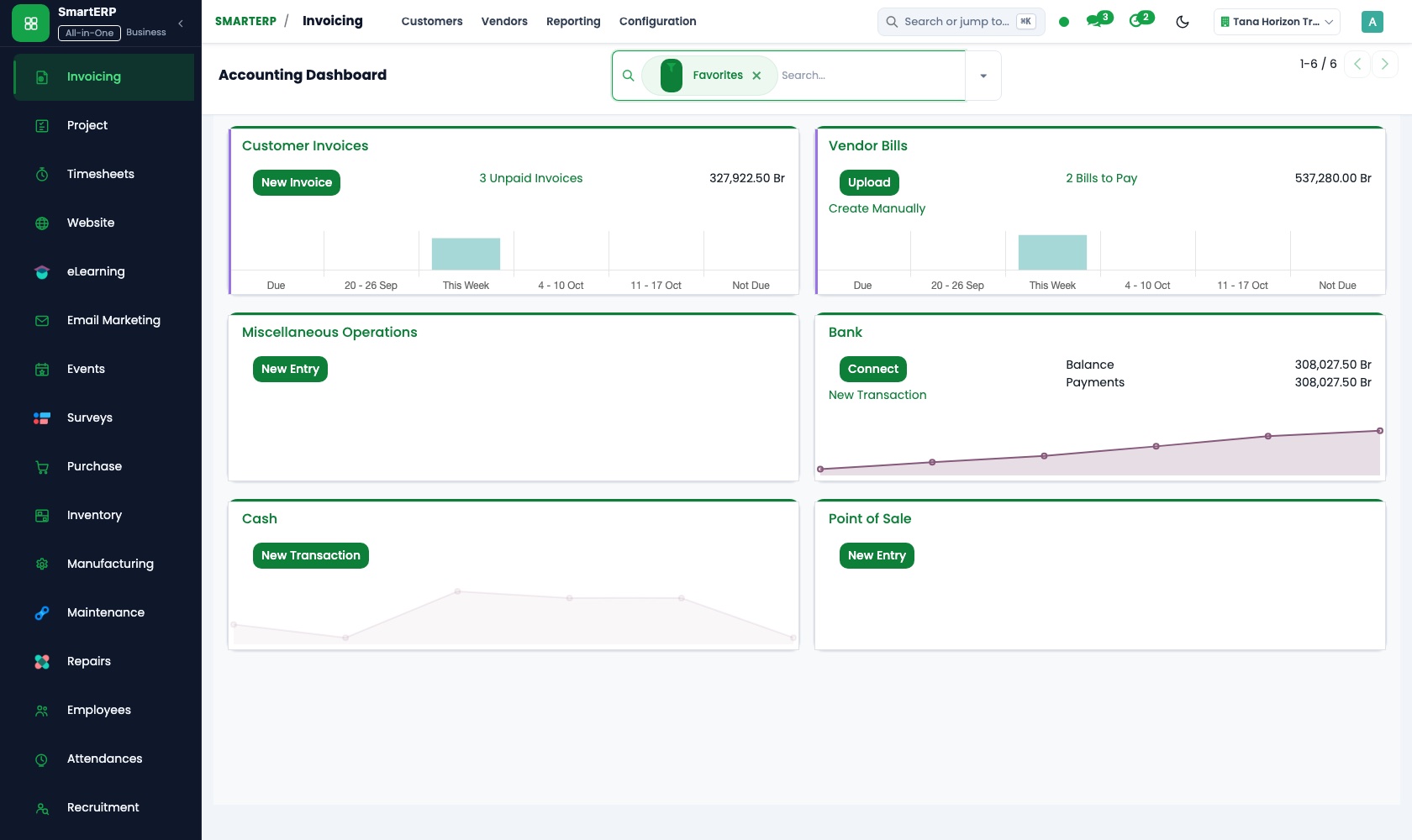
The supplier's bill for routers, laptops or cabling is entered as a vendor bill and compared with the quotation. Equipment and labour are invoiced on handover, with a credit note for any returned item.
Project
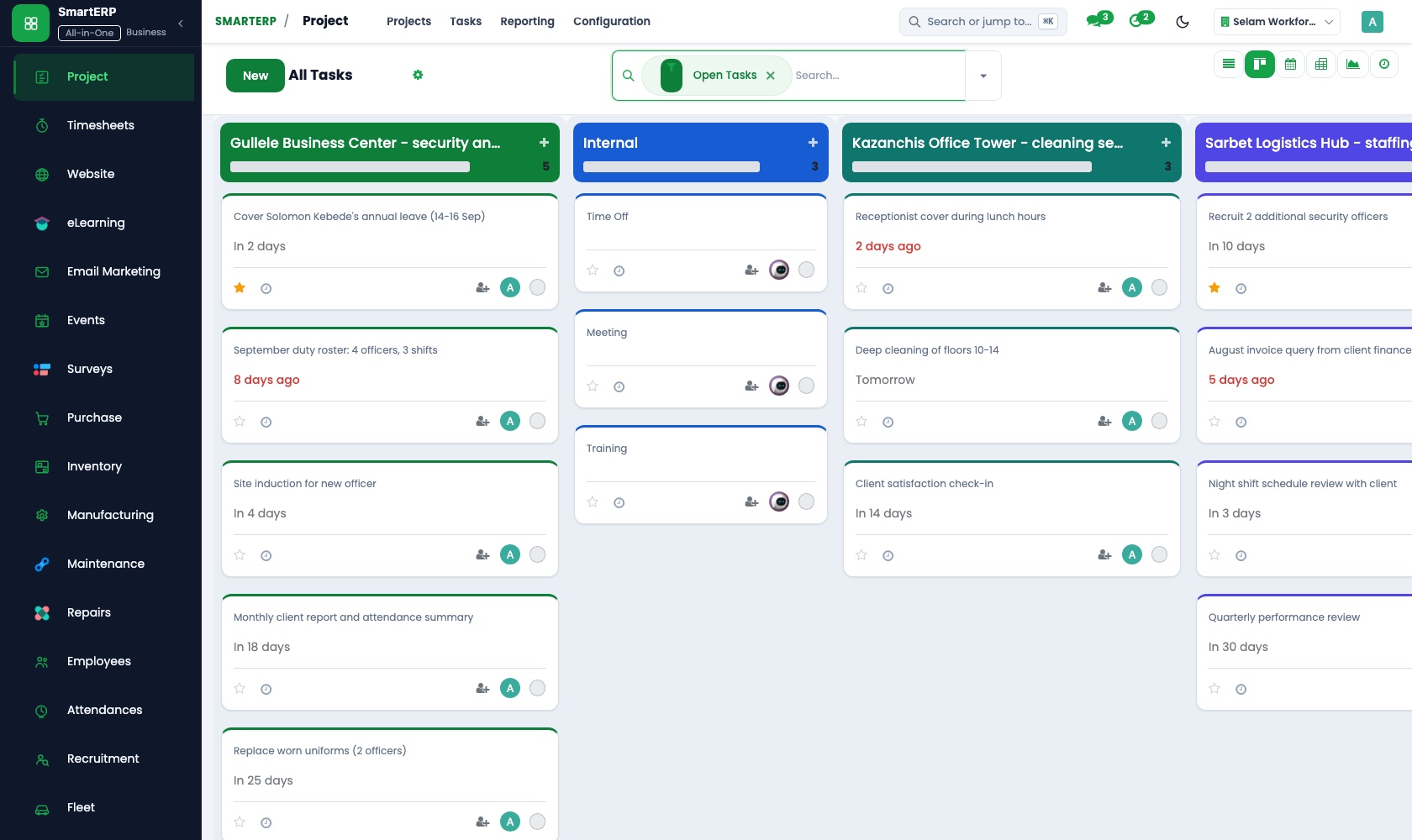
An installation or a software change is a project whose sub-tasks, such as cabling, configuration and handover, are ordered by dependencies. The kanban board answers a client's status question.
Timesheets
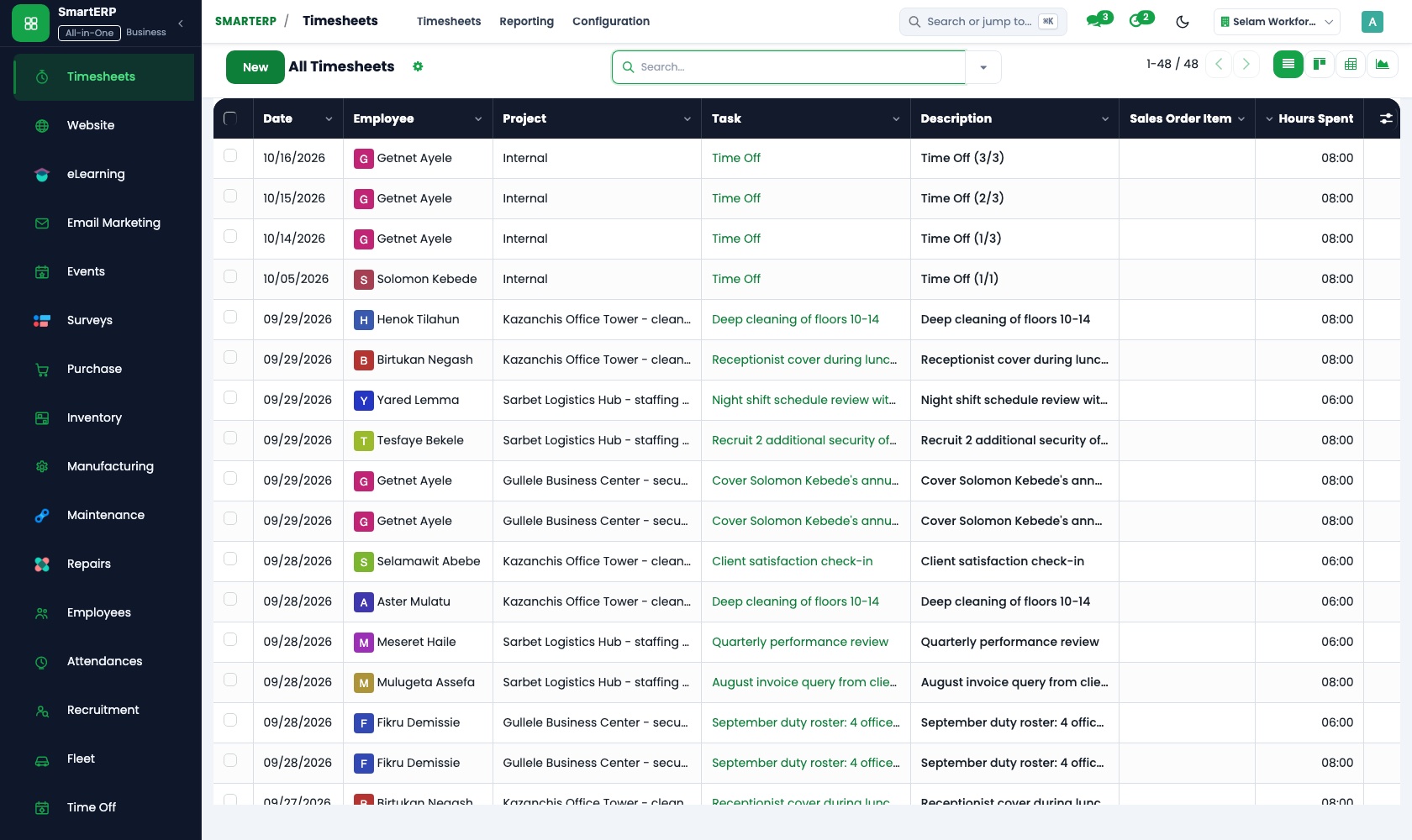
Technicians start a timer on arrival and stop it when the fix is done, so quick visits stop going unrecorded. Billable time separates hours covered by the support agreement from work charged on top.
Sales
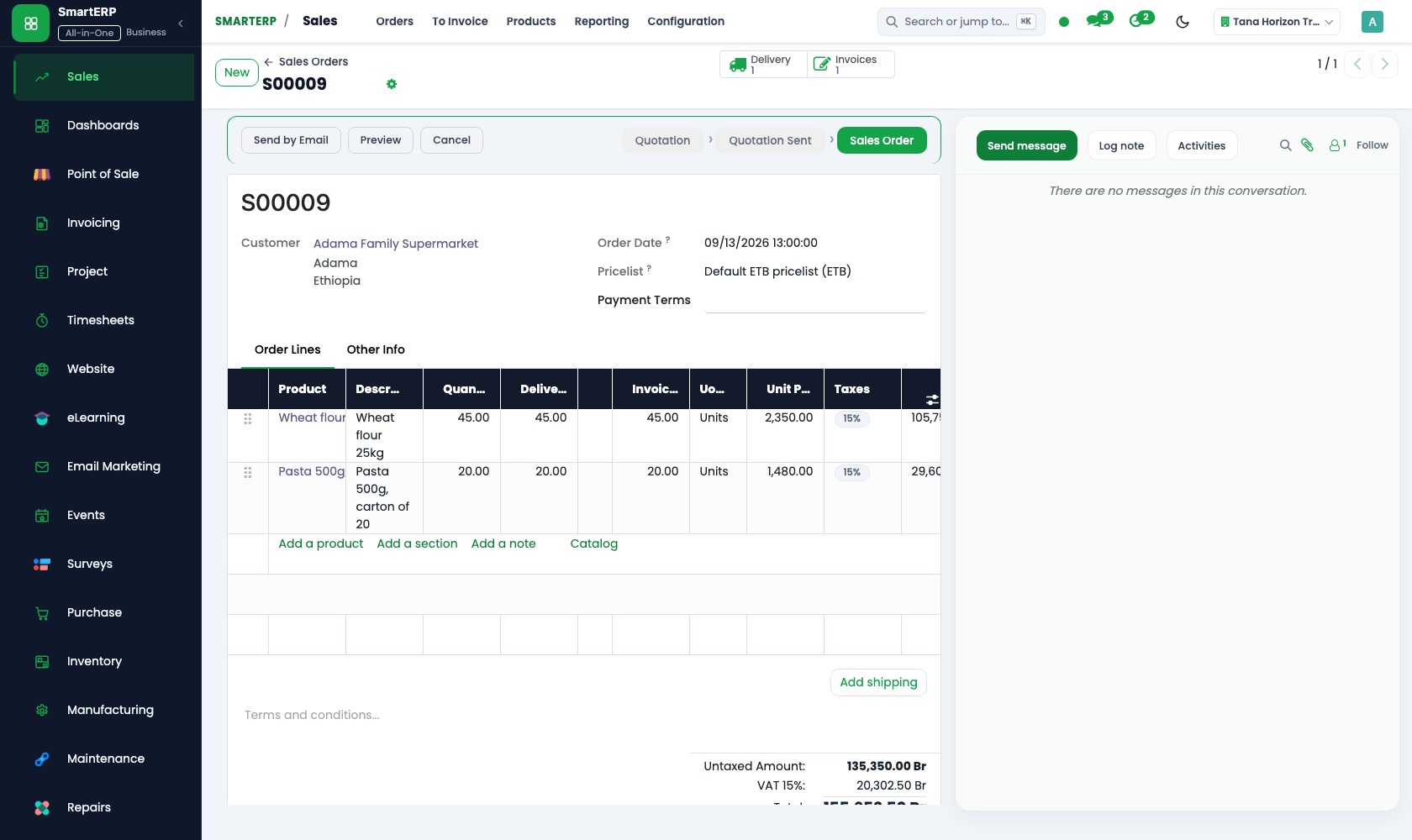
Hardware and labour are quoted on separate lines, and a quotation template holds the standard offer for a typical office network. Each order shows whether it has been invoiced.
CRM
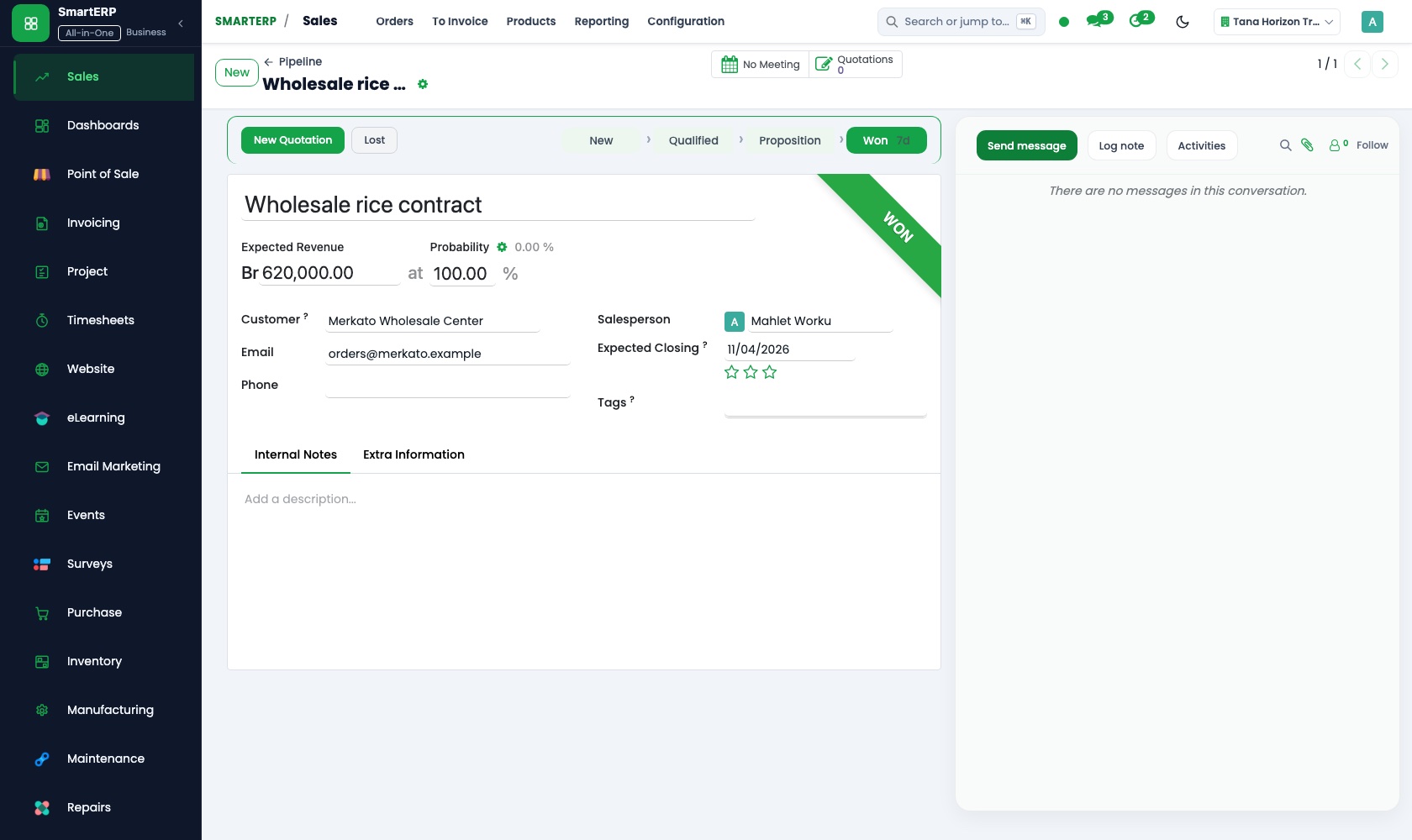
A clinic, school or office that asked for a network or new computers is logged as a lead, with the site survey visit scheduled as an activity. The opportunity then becomes a quotation.
How the work runs on SmartERP
From site survey to installation and hardware invoice
A clinic, school or office asks for a network or new equipment, the job is quoted, built in an ordered plan and invoiced with the equipment cost checked.
- CRM: Leads and opportunities Log the clinic, school or office that asked for a network or new computers, with the site survey visit.
- Sales: Quotations and sales orders Quote hardware and labour on separate lines and confirm the order when the client signs.
- Project: Sub-tasks and dependencies Split the job into cabling, configuration and handover, where configuration cannot start before cabling ends.
- Accounting: Vendor bills and payments Enter the supplier's bill for the equipment and compare it with what was quoted to the client.
- Accounting: Customer invoices and credit notes Invoice equipment and labour on handover, and credit any item that was returned.
From support visit to billed hours
A technician is booked for a client visit, the time is recorded on site, and the month's support invoice shows what the agreement covers and what is extra.
- Calendar: Shared calendars Book a technician for the client's site visit so two people are not sent to the same office.
- Timesheets: Timer Start the timer on arrival at the client and stop it when the fix is done.
- Timesheets: Billable time Split hours covered by the support agreement from work that is charged on top.
- Accounting: Customer invoices and credit notes Raise the month's support invoice with the extra call-outs added as their own lines.
Your first month
- First week. We list the hardware you resell and the labour rates you charge, agree how support work splits into covered hours and extra call-outs, and load clients and suppliers.
- Second week. Project stages are set for an installation and for a software change, technicians learn the timer, and your accountant helps prepare the ledger and the bank accounts.
- Third week. One real installation is quoted, planned in sub-tasks and invoiced at handover, while technicians time real support visits.
- After go-live. We check with the owner that the support invoice matches the recorded hours, then adjust the stages, the billable-time split and the quotation templates.
What to have ready
- The hardware and services you sell, with the price you quote for each
- Clients with current projects and the support agreement each one has
- Equipment suppliers and the prices you usually pay them
- Technicians with their hourly cost and the clients they usually visit
- Starting balances and bank account details from your accountant
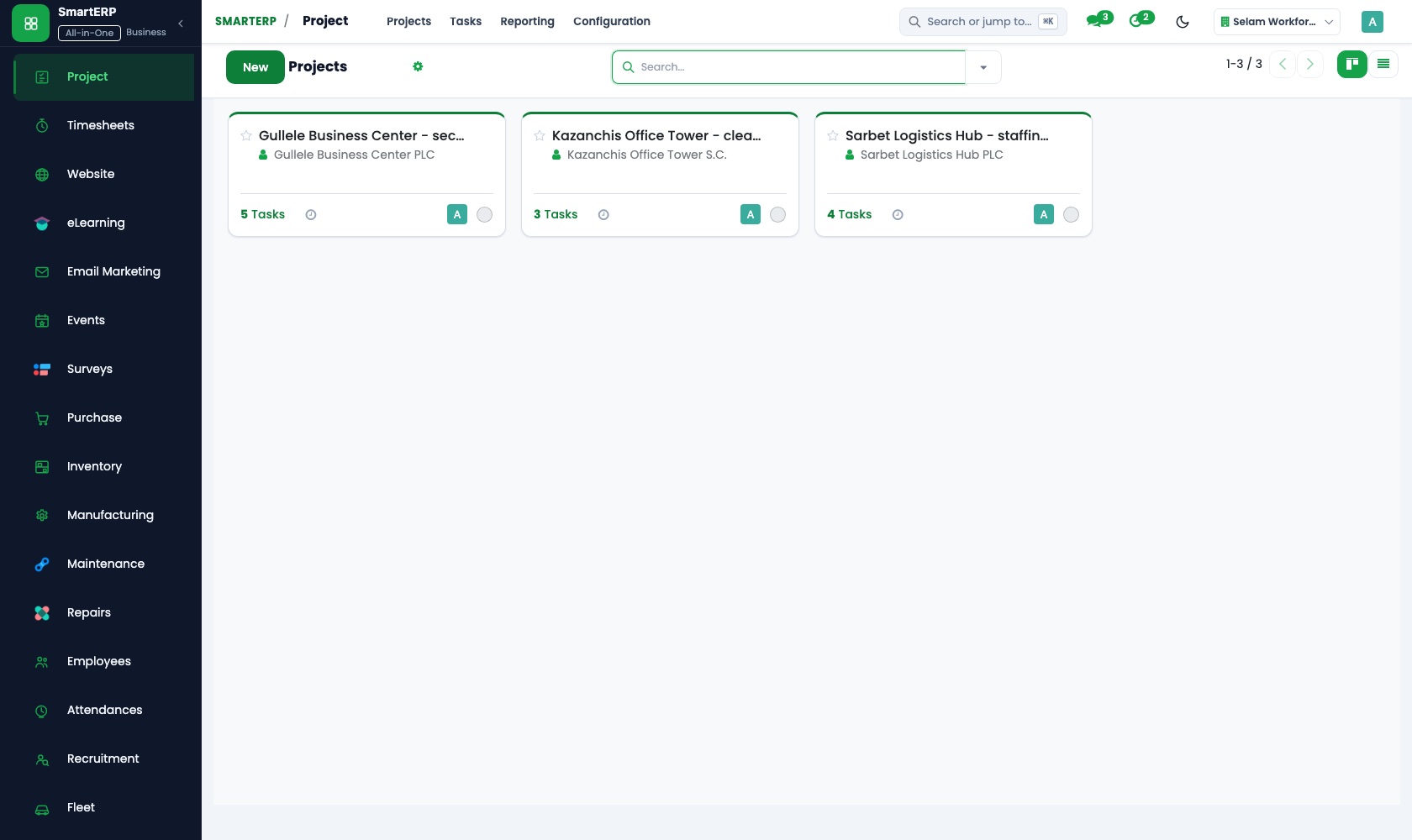
Live Platform Interface
The applications on screen
Authentic SmartERP application workspaces configured for IT and software services workflows.
Who uses it
- Business owner or general managerSee the whole business and keep every department working on the same records.
- Finance and accountingInvoices, bills, bank and reports from one ledger.
- Sales and customer serviceLeads, quotations, orders and follow-up.
- Project and service managersPlan projects and bill the time.
Company sizes
- Up to 10 people
- 11 to 50 people
What SmartERP does not cover for this industry
SmartERP does not monitor client machines, keep a fault-reporting queue with response timers, or hold software keys and asset lists for client hardware. Monthly support fees are invoiced by hand, not generated automatically.
Questions about SmartERP for IT and software services
Can SmartERP monitor my clients' machines or run a fault queue?
No. SmartERP does not monitor client machines, keep a fault-reporting queue with response timers, or hold software keys and asset lists for client hardware. Use your own tools for those.
Will the monthly support invoice be generated for me?
No. Support fees are invoiced by hand, not generated automatically. Billable time in Timesheets separates covered hours from extra call-outs, so extras become their own invoice lines.
How do I compare the supplier's bill with what I quoted?
Register the supplier's bill as a vendor bill in Accounting and compare it with the equipment lines of the quotation. Sales reporting also shows margin by customer and product.
How do the enquiry, the installation and the invoice connect?
An enquiry in CRM becomes a quotation in Sales, and the confirmed order gets a project with the installation steps. Timesheets carries the hours, Accounting sends the invoice, and Calendar books site visits.
Do technicians need a mobile app to record their time?
No mobile app is offered today. SmartERP works in a mobile browser, so a technician can open Timesheets on a phone and use the timer or the weekly grid.
See it before you decide
A small clinic network installation from survey to invoice
The walkthrough follows a fictional clinic from site survey and quotation to an ordered installation plan, the supplier's equipment bill and the client invoice.
There is no self-service sandbox. The demo is a guided walkthrough on sample data, or you can start a trial workspace.
Pricing
SmartERP has an industry edition for this sector (Professional Services). The applications listed above are its applications, and the editions, their staff bands and the current prices are on the pricing page. This page shows no price.
Editions for this industry
- Starter: Up to 50 staff
- Enterprise: 51 to 100 staff
- Premium: 101 to 200 staff
The edition installs Accounting, Agile Boards, Finance, Project Management, Timesheets, Sales, CRM. This list is read from the same catalogue the sign-up uses.
See plans and pricingEnterprise Website Template for IT and software services
Launch your modern, responsive commercial website without writing code. This template is pre-engineered for IT and software services with localized Ethiopian workflows, dual English and Amharic content, and automatic SmartERP CRM lead capture.
Transform Your IT and software services Operations with SmartERP
Experience a localized, unified cloud platform configured for Ethiopian and regional business standards. Book a live walkthrough or start your trial.